


FL Studio Mobile
4.06.51K Reviews
App Specs
- Version
- 4.10.19
- Updated On
- License
- $14.99
- Downloads
- 1,000,000+
- Developer
- Image-Line
- Categories
- Music & Audio
- Platform
- Android, iOS
Screenshots
 Analysis by AppCompare
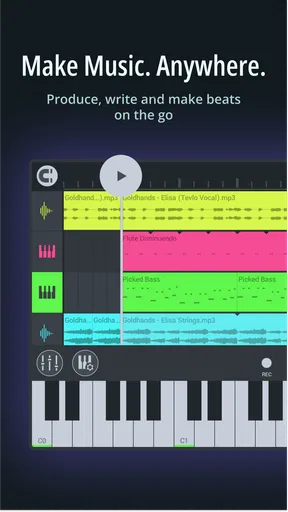
I see FL Studio Mobile as a practical pocket sketchpad that can grow into a capable production workspace, rather than a tiny imitation of a desktop studio. Its main appeal is that I can shape a musical idea with sequenced beats, instruments, and mixing tools without waiting to get back to a computer. That freedom is valuable, but the compact interface and learning curve mean it suits people willing to explore a proper music-making environment, not anyone looking for a one-tap song generator.
Where a mobile workflow earns its place
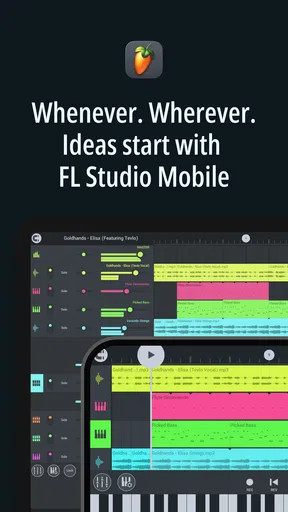
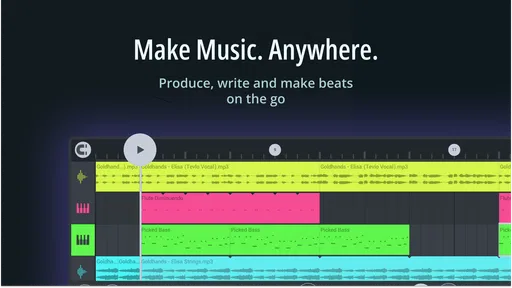
The difference between a useful music app and a novelty is what happens when inspiration arrives at an inconvenient time. I can imagine opening this on a bus ride, tapping out a rhythm before it disappears from memory, then adding a bass line or melody while the idea is still fresh. That kind of quick capture is where a sequencer-based setup makes sense: patterns are easier to revise than a long, one-pass recording, and a rough loop can become the starting point for a more complete track.
It is also useful away from home for trying alternatives rather than committing too early. I might duplicate a pattern, change the drum placement in one version, and keep the original intact while testing a different feel. That small habit makes experimentation less risky on a phone screen. When I return to the project, I can decide which direction works instead of relying on a half-remembered tune.
For an app in the music production category, FL Studio Mobile has a 4.0 average from around 41,000 ratings, and it has passed one million installs. Those figures suggest a substantial audience, but they do not make it automatically right for every musician. I would judge it by whether its pattern-based workflow matches the way you like to compose.
What to learn before building a serious project
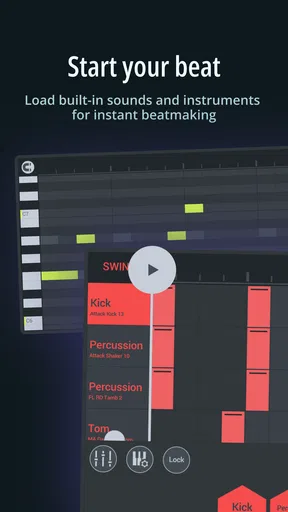
The familiar building blocks are easy to recognize: a drum sequencer for rhythm, a piano roll for pitched parts, and a step sequencer for placing hits. The useful next step is to treat each part as a separate musical decision. I would start with a simple drum pattern, make sure its pulse feels right, and only then add a bass or chord idea. Keeping the first sketch sparse makes it easier to spot which sound is carrying the groove and which layers are just making the screen busier.
One practical trade-off of working on a phone or tablet is that visual detail competes with touch accuracy. A small adjustment can take more care than it would with a mouse, especially once several parts are on screen. I find it sensible to make broad structural choices on mobile, then reserve fine edits for a larger display if one is available. That is not a flaw unique to this app; it is a genuine limit of producing music with fingers on glass.
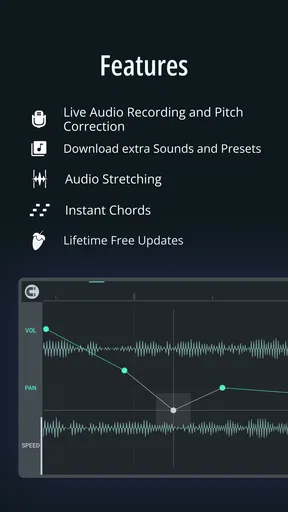
Sound selection can also shape how quickly a project comes together. The built-in instruments, loops, and samples give you material to explore, while optional sound packs offer another route when you want a different palette. I would avoid buying extra sounds simply because they are there. First make a short track with the supplied material, identify what is actually missing, and then choose an add-on with a clear purpose. You can also import your own samples, which is helpful if you have recorded a small sound that gives a track a personal edge.
Worth Reading Before You Choose

Flipboard Shows What News Apps Must Do Beyond the Feed

Switching to Android Auto Means Rethinking Your Driving Routine

Google Calendar Makes a Crowded Week Easier to Manage

Ludo King Makes the Most of the Minutes Between Plans

Baby Panda World Brings Quick Play to Modern Phones, but Its Game Library Feels Busy

ESPN’s Live Game View Makes Following Close Games Easier
From rough loop to listenable mix
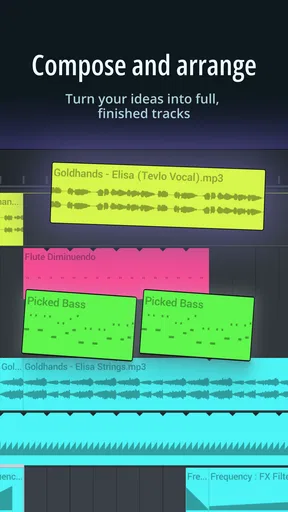
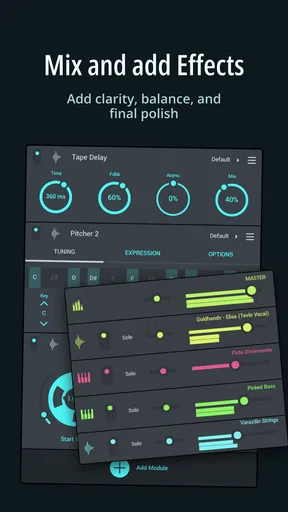
Multi-track projects let you keep different musical roles apart instead of folding everything into one recording. That matters when a promising loop grows: a drum layer can be changed without rewriting the melody, and a new part can be tested without losing the core idea. Effects such as reverb, delay, and EQ provide room to shape the sound inside the app. I would use them with restraint at first. A little space or tonal adjustment can help parts sit together, while piling on effects before the arrangement works can disguise rather than solve a weak musical choice.
A realistic routine might be to sketch a beat during a lunch break, save the project, and revisit it later with headphones to judge the balance more calmly. On the first pass, I would focus on arrangement: does the idea develop, or does the same loop simply repeat? On the second, I would make small mix adjustments and compare the result at a comfortable listening level. This split prevents the common trap of endlessly tweaking sounds before there is enough musical structure to support them.
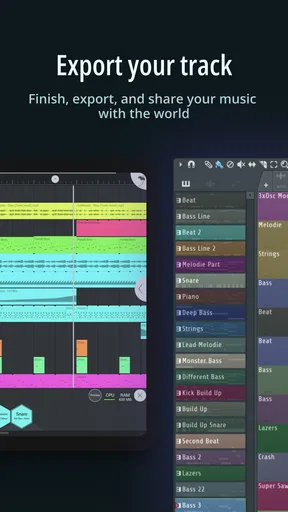
Exporting gives the project a life beyond the app. The stated options include WAV, MP3, and MIDI, which serve different purposes: an audio file is convenient for listening or sharing, while MIDI is more useful when you want to continue editing musical notes in another digital audio workstation. Project files can also be shared for collaboration. Before sending anything to a friend, I would agree on who is changing which parts and keep a clearly named untouched version; otherwise, two people can end up editing different copies without realizing it.
The Beat-Making Experience
First things first, let’s talk about the interface. At first glance, it can seem a bit overwhelming with all those knobs, buttons, and sliders. But don't let that scare you off! Once you get the hang of it, navigating through the app is a breeze. The layout is intuitive, and the developers have done a great job at mimicking the desktop version, which is a huge plus for those already familiar with FL Studio.
Creating beats is super straightforward. You have your drum sequencer, piano roll, and step sequencer all easily accessible. The step sequencer, in particular, is a joy to use - just tap to add beats and watch your track come to life. If you’re someone who’s fond of layering sounds and experimenting with different patterns, you'll find yourself right at home.
Sound Packs and Instruments
What’s a music app without a killer set of sounds? FL Studio Mobile doesn’t disappoint in this department. It comes loaded with a variety of instruments, loops, and samples that cater to all genres. Whether you're into EDM, hip-hop, or something more classical, there’s something here for everyone.
If the included sounds aren’t enough, there are plenty of additional packs available for purchase. This is where you can really start customizing your sound and making your music unique. Plus, the app supports importing your own samples, which is a nice touch for those who like to use their own recorded sounds.
Performance and Features
One of the standout features of FL Studio Mobile is its performance. The app runs smoothly on both Android and iOS platforms, and I didn’t encounter any noticeable lag or crashes during my time with it. This is crucial when you’re deep in the creative process and don’t want to be interrupted by technical hiccups.
The app supports multi-track projects which means you can work on complex compositions with ease. You can also mix and master your tracks directly within the app thanks to the range of effects available, from reverb to delay to EQs. It’s amazing how much you can do without ever having to leave the app.
Collaboration and Sharing
In today’s connected world, being able to share your creations easily is a must. FL Studio Mobile makes this a cinch. You can export your tracks in a variety of formats, including WAV, MP3, and even MIDI if you want to continue working on your project in another DAW. Plus, it’s easy to upload your music directly to social media or cloud services like Google Drive or Dropbox.
Collaboration with friends and fellow musicians is also possible through the app. You can share project files, making it simple to work together on tracks even if you’re miles apart. This makes it an ideal tool for bands or producers who need to collaborate remotely.
Choosing it over a simpler music app
Compared with basic loop-making apps, this is better suited to someone who wants to arrange separate parts and keep developing a composition. A simple beat pad may be quicker when all you want is an instant rhythm, and a recording-focused app may feel more natural if your music begins with live vocals or instruments. Here, the attraction is the ability to build patterns, sequence parts, and work on a track in stages. The trade-off is that the extra control asks you to learn the interface instead of getting an immediate result from a handful of buttons.
It is also worth distinguishing mobile convenience from a full desktop workflow. I would use the app to start ideas, make beats, and refine a compact arrangement; I would not assume that a phone-sized screen is the most comfortable place to manage every detail of a large production. If your normal process depends on extensive editing with a mouse, a large collection of external tools, or long recording sessions, a desktop DAW is likely the better home base. The mobile version is most compelling when portability is part of the point, not when it is expected to replace every studio habit.
Who will get the most from it
I would recommend it to curious beginners who want to learn how beats and layered arrangements fit together, as well as experienced producers who want a portable place to capture ideas. A newcomer should expect to spend time learning where tools live, but can make progress by beginning with a short loop rather than trying to produce a finished song on day one. Someone already comfortable with the desktop version should find the general approach more familiar, though touch controls still make the experience distinct.
I would steer away anyone who wants a very simple app for recording a voice memo, playing an instrument over a backing track, or instantly assembling a polished song from presets. Those are different jobs, and a more focused recorder or lightweight loop tool may be faster and less intimidating. Likewise, if you dislike arranging music on a small screen, portability may not compensate for the friction.
Image-Line sells the app for $14.99, with optional in-app purchases ranging from $0.99 to $13.99 per item. I would think of the initial purchase as the decision to use a substantial mobile music workspace, not as a promise that every sound pack will be included. Its Everyone age rating makes it broadly accessible, though the musical depth still means it is better approached with patience than as a casual toy. The current version is 4.9.6, and it requires Android 6.0 or later.
Final Thoughts
So, is FL Studio Mobile the right app for you? If you're serious about music production and want a powerful tool that you can take anywhere, then absolutely. It’s packed with features, performs reliably, and offers a level of depth and customization that’s hard to match in the mobile music app space.
Sure, there might be a bit of a learning curve if you’re new to FL Studio, but once you get past that, the possibilities are endless. Whether you're laying down the next big hit or just noodling around with ideas, FL Studio Mobile is an excellent companion on your musical journey.
Ready to start creating? You can download FL Studio Mobile from the Google Play or Apple App Store and let your musical adventure begin!
Pros
- Intuitive interface for easy music creation.
- Wide range of instruments and effects.
- Supports MIDI file import and export.
- Regular updates with new features.
- Cross-platform support for seamless projects.
Cons
- Limited free version features.
- High-quality sound packs are costly.
- Steep learning curve for beginners.
- Occasional performance lags on older devices.
- No direct collaboration features available.
FAQs for FL Studio Mobile
What platforms is FL Studio Mobile available on?
FL Studio Mobile is available on both Android and iOS platforms. It provides a seamless music production experience across mobile devices, allowing users to create and edit projects on-the-go. Additionally, it supports cross-platform syncing, so you can start a project on your phone and continue it on your computer.
Does FL Studio Mobile support external MIDI devices?
Yes, FL Studio Mobile supports external MIDI devices. This feature allows users to connect MIDI keyboards and controllers to enhance their music creation process. With MIDI support, you can play instruments and control various app functions, enhancing your workflow and offering more flexibility in music production.
What kind of audio formats can you export from FL Studio Mobile?
FL Studio Mobile allows you to export your projects in multiple audio formats, including WAV, MP3, and FLAC. This flexibility ensures that you can choose the right format for your needs, whether you’re looking for high-quality lossless audio or a more compressed file for easier sharing and storage.
Is there a limit to the number of tracks you can use in a project?
FL Studio Mobile does not have a fixed limit on the number of tracks you can use in a project. However, the performance may vary depending on your device's capabilities. More complex projects with numerous tracks might require a device with higher processing power to ensure smooth playback and editing.
Are there any in-app purchases or additional costs?
While FL Studio Mobile offers a comprehensive set of features upon purchase, there are in-app purchases available. These include additional sound packs, instruments, and effects that can enhance your music production experience. Users should consider these options if they wish to expand the app’s functionality.


